
How to Create a Professional CV That Beats ATS Filtering Systems
What is ATS and Why Does It Matter for Your CV?
Feature Video
Applicant Tracking Systems (ATS) are software tools used by over 90% of Fortune 500 companies and many mid-sized firms to manage the flood of job applications they receive daily. These systems scan, filter, and rank CVs based on predefined criteria before a human recruiter ever lays eyes on them. If your CV doesn’t pass the ATS filter, it might never reach the hiring manager, no matter how qualified you are.
Beating ATS filtering systems requires a strategic approach. A professional CV isn’t just about content; it’s about format, keywords, and compatibility. In this comprehensive guide, we’ll walk you through proven steps to create an ATS-friendly CV that showcases your skills and experience effectively. By optimizing for ATS, you’ll increase your chances of landing interviews in competitive job markets.
Step 1: Understand How ATS Systems Work

ATS software like Taleo, Workday, iCIMS, and Greenhouse parses your CV by reading text in a linear fashion. It looks for specific keywords from the job description, standard headings, and clean formatting. Complex graphics, tables, or non-standard fonts can confuse the parser, resulting in your CV being rejected or poorly ranked.
Key ATS algorithms prioritize:
- Exact matches to job keywords (e.g., “project management” instead of “led projects”).
- Chronological work history.
- Quantifiable achievements.
- Standard sections like “Work Experience” and “Education.”
To beat ATS, tailor your CV for each application. Analyze the job posting using tools like Jobscan or Resunate to identify top keywords and ensure your CV mirrors the language used by the employer.
Step 2: Choose the Right CV Format
Opt for a reverse-chronological format, which is the most ATS-compatible. This lists your most recent experience first, making it easy for the system to identify your career progression. Avoid functional or hybrid formats, as they bury work history and can confuse parsers.
Structure your CV with these essential sections in this order:
- Contact Information
- Professional Summary
- Skills
- Work Experience
- Education
- Certifications
- Additional Sections (e.g., Projects, Volunteer Work)
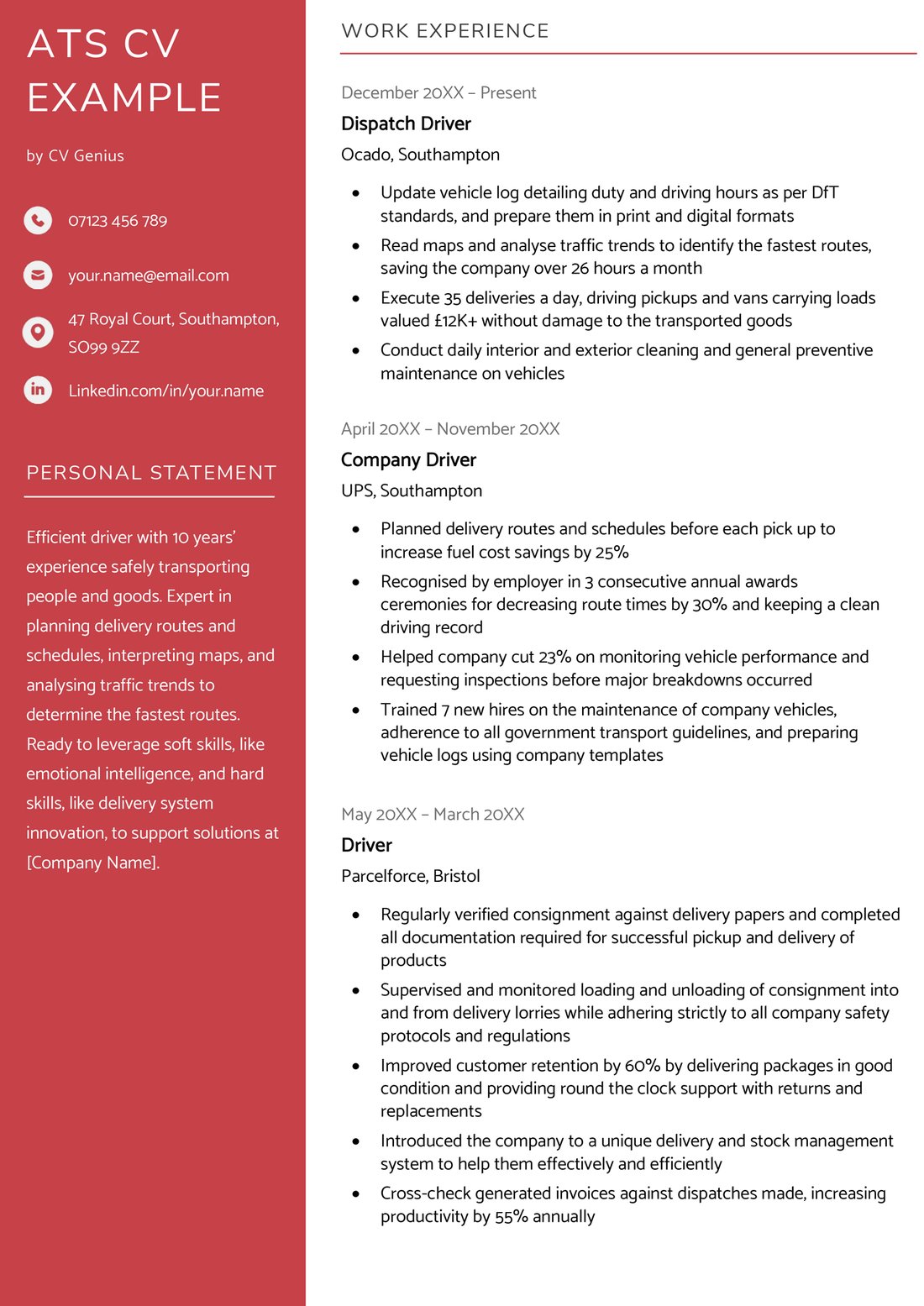
Keep it to one or two pages. Use single-column layouts—no multi-column designs or sidebars, as ATS may jumble the content.
Step 3: Master Keywords for ATS Optimization
Keywords are the lifeblood of ATS success. Recruiters embed job-specific terms in postings, and ATS scores your CV based on matches. Incorporate them naturally into your professional summary, skills section, and bullet points under experience.
For example, if applying for a marketing role requiring “SEO optimization” and “content strategy,” weave these phrases into sentences like: “Led SEO optimization initiatives that boosted organic traffic by 40% through data-driven content strategy.”
Tips for keyword integration:
- Use both acronyms and full forms (e.g., “CRM” and “Customer Relationship Management”).
- Match phrasing exactly—don’t synonymize unless necessary.
- Aim for 2-3% keyword density; overuse flags as spammy.
- List skills in a dedicated section with exact matches from the job ad.
Tools like Google Keyword Planner or LinkedIn’s job search can help identify industry-standard terms.
Step 4: Use Standard Headings and Bullet Points

ATS recognizes common headings like “Professional Experience,” “Employment History,” “Work History,” “Skills,” “Education,” and “Summary.” Avoid creative alternatives like “My Journey” or “What I Bring to the Table.”
For experience entries, use bold for job titles and company names, followed by dates (e.g., “Marketing Manager, ABC Corp, January 2020 – Present”). Start bullet points with action verbs: “Developed,” “Managed,” “Achieved.”
Quantify accomplishments: Instead of “Handled social media,” say “Grew Instagram following from 5K to 50K in 6 months, increasing engagement by 300%.” Numbers stand out to both ATS and humans.
Step 5: Select ATS-Friendly Fonts and Layout
Stick to standard, sans-serif fonts like Arial, Calibri, Helvetica, or Times New Roman (10-12 pt size). Fancy fonts like Garamond or scripts are unreadable by parsers.
Layout best practices:
- Margins: 0.5-1 inch.
- No images, logos, charts, or colors—pure black text on white background.
- Avoid headers/footers; ATS skips them.
- Use simple bullet points (• or -); no custom icons.
- Tables and text boxes: Minimize or avoid, as they can garble data.
Left-align all text for optimal parsing. Save as .docx or .pdf (text-based, not scanned/image PDF).
Step 6: Optimize File Naming and Submission
Name your file professionally: “FirstName_LastName_JobTitle_Company.pdf” (e.g., “John_Doe_MarketingManager_Google.pdf”). This helps recruiters identify it quickly and signals ATS compatibility.
When submitting:
- Paste plain text into online forms.
- Attach CV in requested format.
- Customize your LinkedIn profile similarly for recruiter searches.
Step 7: Common Pitfalls to Avoid
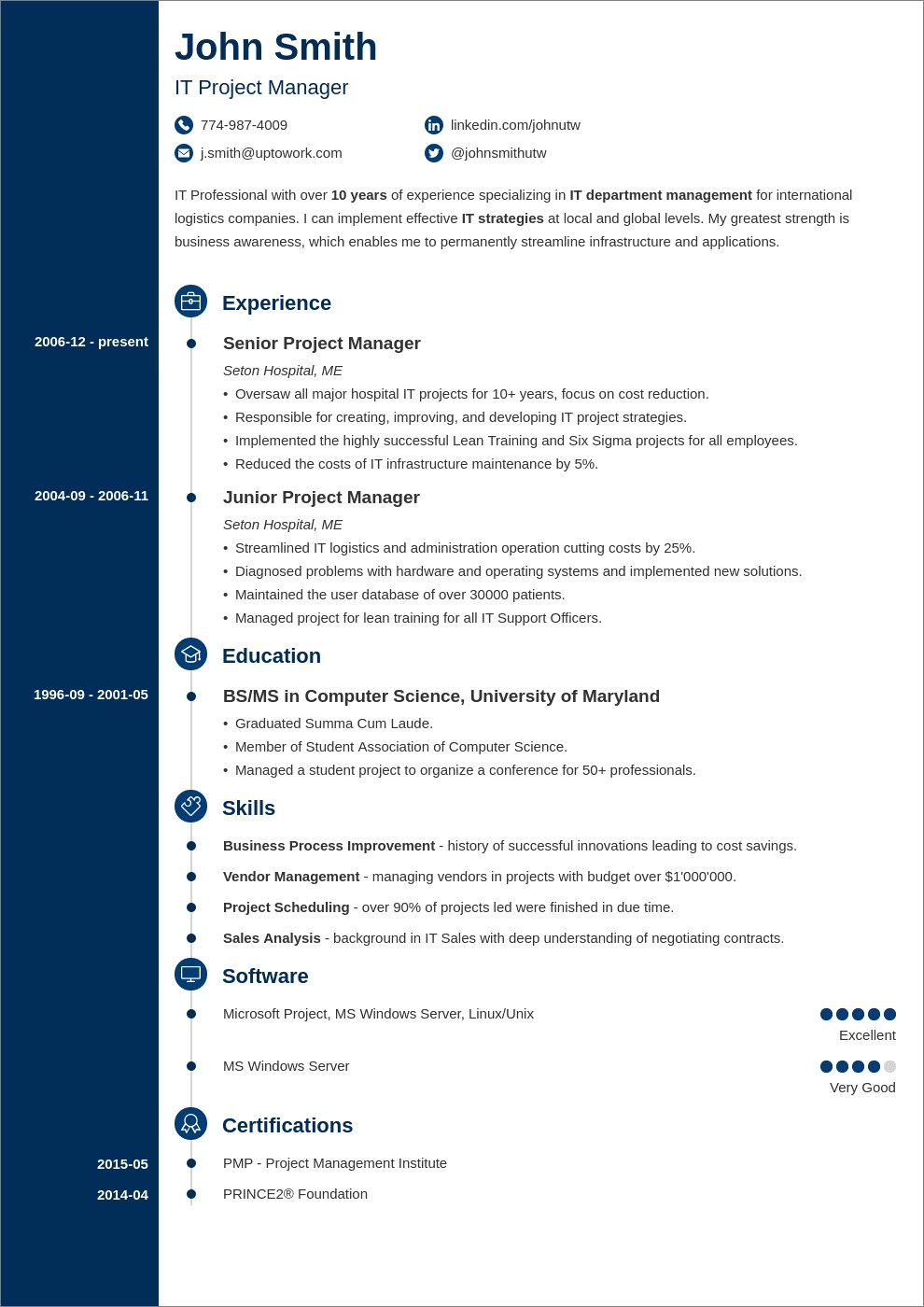
Steer clear of these ATS killers:
- Graphics or photos—many ATS can’t process them.
- Hyperlinks—embed URLs as plain text.
- Spelling errors—ATS may misread words.
- Non-standard date formats (use MM/YYYY).
- Too many abbreviations without expansions.
After crafting, test your CV with free ATS scanners like Jobscan, SkillSyncer, or ResumeWorded. Upload your CV and job description to get a match score—aim for 80%+.
Step 8: Proofread and Humanize Your CV
While ATS optimization is crucial, your CV must also impress humans. Proofread meticulously using Grammarly or Hemingway App. Get a second opinion from a peer.
Write a compelling summary: 3-5 sentences highlighting your value proposition, packed with keywords. For instance: “Results-driven software engineer with 5+ years in full-stack development, specializing in React, Node.js, and AWS. Proven track record in scaling applications for high-traffic environments.”
Advanced Tips for Beating Modern ATS
Newer ATS like Lever and Greenhouse use AI for semantic matching, so include variations and context. Build a master CV with all experiences, then tailor versions per job.
Leverage LinkedIn: Optimize your profile with the same keywords, as 87% of recruiters use it. Export as PDF for applications.
Track applications with a spreadsheet noting job details, keywords used, and follow-ups.
Conclusion: Land Your Dream Job with an ATS-Beating CV
Creating a professional CV that beats ATS filtering systems is a blend of technology savvy and storytelling. By focusing on clean formatting, strategic keywords, standard structures, and rigorous testing, you’ll ensure your qualifications shine through digital gatekeepers.
Remember, ATS gets you past the filter—your content wins the interview. Update your CV quarterly, stay abreast of industry keywords, and apply consistently. With these strategies, you’ll outperform 75% of applicants and position yourself for career success.
(Word count: 1215)