
How to Optimize Your LinkedIn Profile to Attract Recruiters
In today’s competitive job market, LinkedIn has become the go-to platform for professionals seeking new opportunities. With over 1 billion users worldwide, optimizing your LinkedIn profile is essential to stand out and attract recruiters. A well-crafted profile not only showcases your skills and experience but also positions you as a top candidate for dream roles. This comprehensive guide will walk you through proven strategies to optimize your LinkedIn profile, increase visibility, and draw recruiter attention. Whether you’re a recent graduate, mid-career professional, or executive, these tips will help you land interviews faster.
Choose a Professional Profile Picture
Feature Video
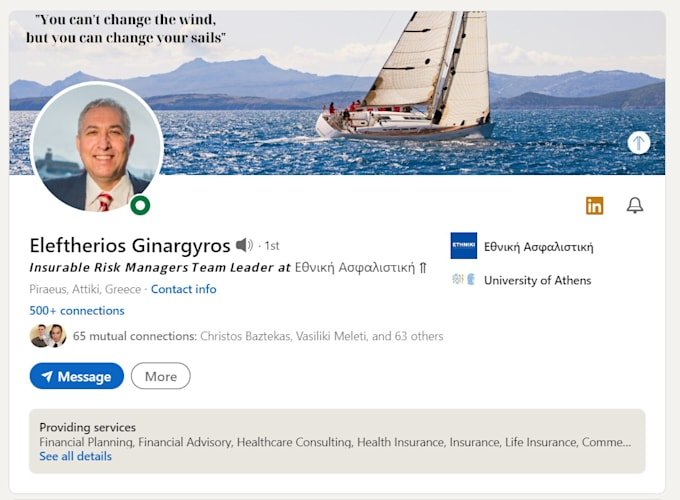
Your profile picture is the first impression recruiters get—make it count. Opt for a high-quality, professional headshot where you’re dressed in business attire, smiling confidently, and facing the camera directly. Avoid selfies, group photos, or casual snapshots; they can undermine your professionalism. Use a plain background to keep the focus on you, and ensure good lighting to avoid shadows.
Research shows profiles with professional photos receive up to 21 times more views. Tools like Canva or Photoshop can help refine your image to LinkedIn’s recommended size: 400×400 pixels. Customize your photo for different industries—tech pros might go for a modern vibe, while finance roles demand conservative suits. A strong profile picture signals credibility and approachability, prompting recruiters to explore further.
Craft a Keyword-Rich Headline

The default headline is just your job title, but that’s a missed opportunity. Your headline appears in search results and should be a powerful 220-character pitch packed with keywords recruiters use, like “Digital Marketing Specialist | SEO Expert | Content Strategist | Driving ROI for Tech Startups.” Include your current role, key skills, and unique value proposition.
To optimize LinkedIn profile for recruiters, research job descriptions on LinkedIn or Indeed for relevant terms. Tools like Google Keyword Planner or LinkedIn’s search suggestions can reveal high-traffic phrases. Make it benefit-oriented: instead of “Software Engineer,” say “Full-Stack Developer | Building Scalable Apps with React & Node.js | 5+ Years Experience.” This boosts SEO on LinkedIn’s algorithm, increasing your profile’s search ranking and attracting targeted recruiter searches.
Write an Engaging About Section (Summary)

The About section is your personal billboard—up to 2,600 characters to tell your story. Start with a hook: a bold statement of your expertise or a career achievement, like “Helped 50+ companies scale revenue by 200% through data-driven strategies.” Follow with paragraphs on your professional journey, key accomplishments, skills, and passions.
Incorporate keywords naturally for SEO, such as “project management,” “sales leadership,” or “UX design.” Use first-person narrative for authenticity, add emojis sparingly for visual appeal, and include a call-to-action: “Connect with me to discuss innovative solutions!” Break text with short paragraphs and bullet points for readability. Quantify achievements—e.g., “Led a team of 10 to deliver projects 30% under budget”—to demonstrate impact. A compelling summary keeps recruiters reading and encourages messages.
Optimize Your Experience Section
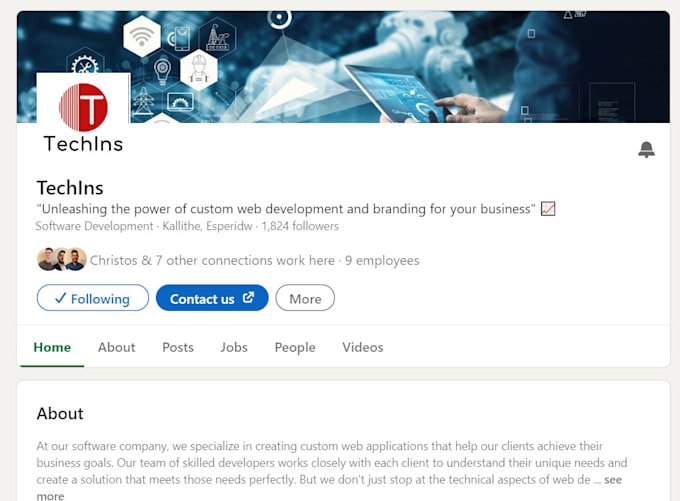
Treat your Experience like a resume: detailed, achievement-focused entries. For each role, use job title, company, dates, and a compelling description. Start bullets with action verbs: “Developed,” “Led,” “Optimized.” Focus on results: “Increased user engagement by 40% via A/B testing” beats “Handled social media.”
To attract recruiters on LinkedIn, tailor descriptions to your target industry. Add media like presentations, links to portfolios, or PDFs of reports—rich content boosts engagement. If you’re job hunting, feature recent roles prominently and explain gaps professionally. For freelancers or multiple short stints, group them under “Key Projects.” Use keywords from job postings to match recruiter searches, ensuring your profile ranks higher in relevant queries.
Highlight Skills and Seek Endorsements
LinkedIn’s Skills section is gold for recruiters—they filter by skills like “Python,” “Salesforce,” or “Agile Methodology.” List up to 100, prioritizing 5-10 top ones pinned to the top. Pin skills that align with your career goals and job market demands.
Endorsements add social proof; ask colleagues to endorse you via personalized messages. Reciprocate to build goodwill. Take LinkedIn Skill Assessments to earn badges—these verified skills increase profile views by 30%. Regularly update skills to reflect evolving expertise, enhancing your LinkedIn profile optimization and algorithmic visibility.
Add Education, Certifications, and Recommendations
Complete your Education section with degrees, institutions, and graduation years (omit if over 10 years ago to avoid age bias). Certifications from Coursera, Google, or industry bodies like PMP shine here—upload badges and links for verification.
Recommendations are testimonials; request 2-3 from supervisors or clients with specific prompts: “Could you highlight my leadership in the XYZ project?” Display them prominently. These elements build trust, making your profile more recruiter-friendly and comprehensive.
Customize Your URL and Enable Creator Mode
Your public profile URL should be vanity-customized: linkedin.com/in/yourname-role-industry. This looks professional on resumes and business cards, improving SEO on Google searches.
Enable Creator Mode to showcase Featured content, posts, and followers. Add a banner image (1584×396 pixels) with your brand—tools like Canva offer templates saying “Open to Opportunities” or highlighting specialties. Open your profile to “Recruiters” in settings for direct outreach.
Engage Actively to Boost Visibility
A static profile isn’t enough; activity signals relevance. Post weekly: industry insights, articles, or polls. Comment thoughtfully on influencers’ posts to gain exposure. Join Groups and follow companies—engage to appear in recruiters’ feeds.
Use LinkedIn’s “Open to Work” frame discreetly (visible only to recruiters) or publicly. Share your profile in emails and networks. Consistent engagement can increase profile views by 5x, drawing passive recruiter interest.
Advanced SEO Tips for Recruiters
Leverage LinkedIn’s search algorithm: complete all sections for a “All-Star” status, which triples views. Use Creator Tools for newsletters. Track analytics via dashboard to refine what’s working. Avoid over-posting; quality trumps quantity.
Mobile optimization matters—80% of users are on mobile, so ensure concise, scannable content. Test your profile privately and get feedback from peers.
Conclusion: Take Action Today
Optimizing your LinkedIn profile is an investment yielding high returns. Implement these steps: update photo, headline, summary, experience, skills, and engage daily. Track progress with profile views and connection requests. In weeks, you’ll see recruiters reaching out. Start now—your next role awaits!
(Word count: 1,248)