
A Complete Guide to Password Managers and Digital Security
Introduction to Password Managers and Digital Security
Feature Video
In today’s digital age, where we juggle dozens of online accounts, securing your personal information has never been more critical. Password managers are essential tools that help generate, store, and autofill strong, unique passwords across all your devices and services. This complete guide to password managers and digital security will walk you through everything you need to know—from what they are and how they work to best practices for implementation. With cyber threats like data breaches and phishing attacks on the rise, understanding password managers can significantly bolster your online defenses. Keywords like “best password managers” and “digital security tips” are searched millions of times monthly, making this knowledge not just useful but timely.
According to recent reports from cybersecurity firms like Norton and Kaspersky, over 80% of data breaches involve weak or reused passwords. Password managers address this by encouraging complex passwords that are impossible for humans to remember, thus elevating your digital security posture. Whether you’re a casual user or a tech-savvy professional, mastering these tools is a game-changer.
What Are Password Managers?

Password managers are software applications designed to create, retrieve, and manage your passwords securely. Instead of memorizing or writing down login credentials, you only need to remember one master password. Popular examples include LastPass, Bitwarden, 1Password, and Dashlane. These tools use advanced encryption—typically AES-256—to protect your vault of passwords.
At their core, password managers feature a digital vault where all credentials are stored. They generate random, lengthy passwords (e.g., “X7p#9qL2m$8vK4nR”) that meet modern security standards. Browser extensions and mobile apps allow seamless autofill, while secure sharing options let you send passwords to family or colleagues without exposing them. Free versions exist, but premium plans offer extras like dark web monitoring and priority support.
Why You Need a Password Manager for Digital Security
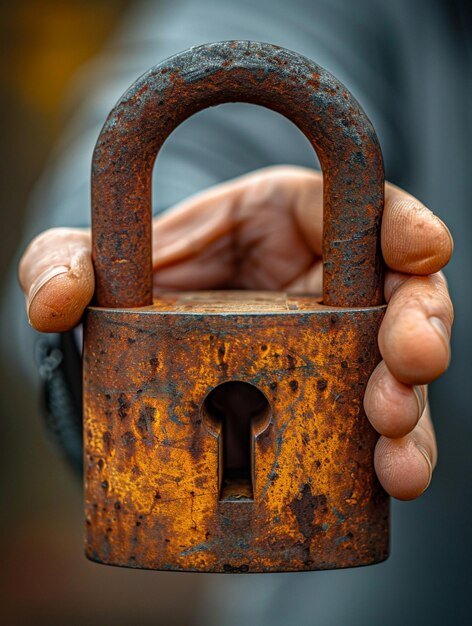
The benefits of password managers extend far beyond convenience. First, they combat password reuse—a top vulnerability exploited by hackers. If one site is breached, your other accounts remain safe with unique passwords. Second, they promote strong passwords resistant to brute-force attacks, which can crack simple ones in seconds.
Additional perks include secure note storage for credit card details or Wi-Fi passwords, two-factor authentication (2FA) integration, and breach alerts. For businesses, enterprise versions provide centralized management and compliance with standards like GDPR and HIPAA. Studies from Google show that users with password managers enable 2FA at higher rates, reducing account takeover risks by up to 99%.
In an era of ransomware and identity theft, password managers are your first line of defense in digital security, saving time and preventing costly mistakes.
How to Choose the Best Password Manager

Selecting the right password manager depends on your needs. Consider factors like compatibility (Windows, macOS, iOS, Android), pricing (free vs. $3-5/month premium), and security audits. Look for zero-knowledge architecture, where even the provider can’t access your data.
Top recommendations:
- Bitwarden: Open-source, affordable ($10/year), unlimited devices. Ideal for budget-conscious users.
- 1Password: User-friendly with Watchtower breach monitoring. Great for families ($36/year).
- LastPass: Feature-rich with emergency access. Free tier available, premium at $3/month.
- Dashlane: VPN integration and phishing alerts. Premium starts at $4.99/month.
Read independent reviews from sites like PCMag or Wirecutter, and check for recent security audits by firms like Cure53. Avoid managers with past breaches unless they’ve improved transparently.
Setting Up Your Password Manager: Step-by-Step Guide
Getting started is straightforward. Download your chosen app or extension from official sites. Create a strong master password—mix uppercase, lowercase, numbers, symbols, and make it 16+ characters long. Enable 2FA immediately using an authenticator app like Authy, not SMS.
Import existing passwords from browsers or CSV files. The tool will flag weak or duplicated ones for updates. Install on all devices and sync via cloud (end-to-end encrypted). Test autofill on sites like Gmail or Amazon. Use the password generator for new accounts, opting for 20+ character passphrases.
For advanced users, configure biometric login (fingerprint/Face ID) and auto-lock timers. Regularly update the app to patch vulnerabilities.
Best Practices for Using Password Managers in Digital Security
To maximize security, follow these tips:
- Never share your master password—use secure sharing features instead.
- Enable 2FA everywhere possible; password managers streamline this.
- Monitor for breaches via built-in tools or Have I Been Pwned.
- Use passphrases like “correct horse battery staple” for memorability if needed.
- Avoid public Wi-Fi without a VPN; pair it with your manager.
Integrate with secure browsers like Brave or Firefox. For businesses, enforce policies via group vaults. Educate on phishing: even managers can’t protect against clicking malicious links.
Enhancing Overall Digital Security Beyond Password Managers
Password managers are powerful, but comprehensive digital security requires a layered approach. Implement antivirus software like Bitdefender or Malwarebytes. Use VPNs (NordVPN, ExpressVPN) for encrypted browsing. Regularly update all devices and apps to close exploits.
Enable device encryption (FileVault on Mac, BitLocker on Windows). Backup data to encrypted cloud services like Backblaze. Practice safe habits: verify URLs, avoid suspicious downloads, and use privacy-focused search engines like DuckDuckGo.
For identity protection, consider services like LifeLock. In 2023, over 300 million records were exposed in breaches—proactive measures like these mitigate risks.
Common Mistakes to Avoid with Password Managers
Even pros slip up. Don’t rely solely on autofill—manually verify on sensitive sites. Avoid free Wi-Fi syncing without VPN. Never store passwords in plain text notes or email.
Choosing unvetted managers risks data exposure. Forgetting recovery options can lock you out forever—set up emergency contacts. Overlooking mobile app permissions invites malware. Always log out on shared devices.
Finally, neglecting updates leaves you vulnerable to known flaws, as seen in the 2022 LastPass incident (resolved with mitigations).
The Future of Password Managers and Digital Security
Emerging tech like passkeys (FIDO2 standard) promises passwordless logins, with managers like 1Password already supporting them. Biometrics and hardware keys (YubiKey) add layers. AI-driven threat detection will become standard.
Regulations like the EU’s NIS2 Directive push for better security hygiene. As quantum computing looms, post-quantum encryption is on the horizon.
Conclusion: Secure Your Digital Life Today
Password managers are indispensable for modern digital security, simplifying complexity while fortifying defenses. By choosing wisely, setting up properly, and layering protections, you minimize risks in an increasingly hostile online world. Start with a free trial today—your future self will thank you. For more tech insights, explore our Tech & Gadgets section.
(Word count: 1215)