
How to Start an Etsy Shop and Sell Your First Digital Product in 30 Days
Introduction to Starting an Etsy Shop for Digital Products
Feature Video
Are you ready to turn your creative skills into a profitable online business? Etsy is the perfect platform for selling digital products like printables, planners, templates, and graphics. With over 96 million active buyers, Etsy offers a massive audience eager for unique digital downloads. This comprehensive guide will walk you through how to start an Etsy shop and sell your first digital product in just 30 days. Whether you’re a beginner or have some design experience, follow these actionable steps optimized for SEO success, including keyword research, shop setup, and marketing strategies. By the end, you’ll have a live shop generating sales.
Digital products are ideal for Etsy sellers because they’re low-cost to produce, infinitely scalable, and deliver instantly—no shipping required. Popular niches include wedding invitations, budget trackers, SVG files for Cricut, and educational worksheets. Expect to invest time upfront, but passive income can follow quickly. Let’s dive into the 30-day plan.
Days 1-3: Research and Set Up Your Etsy Account

Begin with thorough research to ensure your shop stands out. Start by identifying trending digital products on Etsy. Use Etsy’s search bar with keywords like “printable planner 2024” or “digital wall art.” Tools like eRank, Marmalead, or EverBee (free tiers available) help analyze competition, sales volume, and keywords. Aim for niches with high demand (1,000+ monthly searches) and low competition (fewer than 10,000 listings).
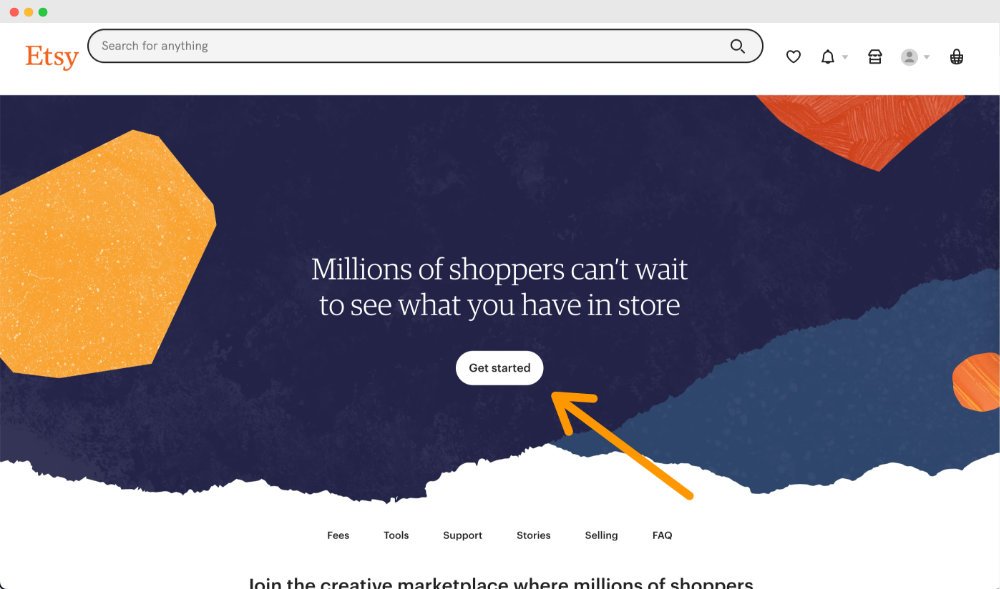
Create your Etsy account on Day 1. Visit etsy.com/sell and sign up with a professional email. Choose a shop name that’s memorable, brandable, and SEO-friendly—include keywords if possible, like “CozyPrintablesShop.” Verify your account via email and phone. On Day 2, complete your shop profile: add a banner (3360×840 pixels), logo (500×500), and bio highlighting your unique value, e.g., “Handcrafted digital designs for busy moms.”
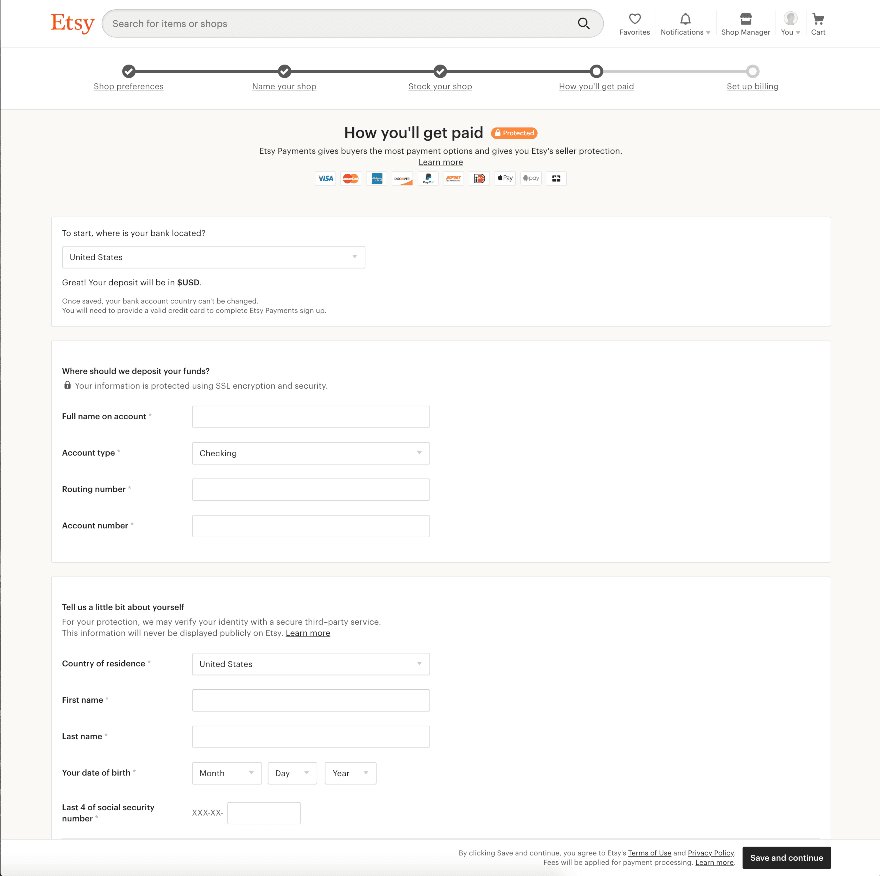
Day 3: Set shop policies. Define shipping (digital = instant), returns (typically no refunds for downloads), and payment details. Link a bank account for payouts—Etsy pays via Etsy Payments. This foundation prevents future issues and builds buyer trust.
Days 4-7: Choose Your Niche and Validate Your Product Idea

Narrow your niche to something you’re passionate about and skilled in. Use Google Trends, Pinterest, and TikTok for inspiration. For example, if you love fitness, create gym planners; for teachers, lesson plan templates. Validate by checking Etsy sales stats—products with 100+ sales in the last month are winners.
Brainstorm 10-20 product ideas. Survey friends or post on Reddit (r/EtsySellers) for feedback. Tools like Canva or Google Keyword Planner confirm search volume. Pick one hero product for your first sale, like a customizable weekly planner PDF. Ensure it’s evergreen or seasonal (e.g., holiday graphics in advance). By Day 7, have your product concept finalized with mockups.
Days 8-15: Create Your First Digital Product

Now, build your product using free or affordable tools. Canva Pro ($12.99/month) is beginner-friendly for printables. Adobe Illustrator suits advanced vector graphics. For planners, use GoodNotes or Keynote for interactive PDFs.
Design principles: High-resolution (300 DPI), multiple formats (PDF, PNG, JPG), and customization options via editable fields. Include 5-10 variations (colors, sizes) to boost listings. Add value with bonuses like checklists or tutorials. Watermark previews but deliver clean files.
Test usability: Print or view on devices. Get beta feedback. Package as a ZIP file with instructions. Aim for 20-50 pages for planners. Price competitively—$5-15 for starters, based on competition. By Day 15, your product is polished and ready for upload.
Days 16-20: Set Up Your Shop and Optimize Listings
Time to launch listings. Etsy charges $0.20 per listing (renews every 4 months). Upload 5-10 listings initially for shop momentum—use the same product in bundles or variations.
SEO mastery: Primary keywords in title (e.g., “Weekly Planner Printable | Digital Download | Undated Planner PDF for Busy Moms”). Use 13 tags with long-tail phrases like “printable planner 2024,” “digital agenda template.” Description: 1,000+ characters, bullet points for features, FAQs, and usage instructions. High-quality mockups (via Placeit.net) in first 5 photos—Etsy prioritizes visuals.
Set up shop sections (e.g., Planners, Wall Art). Enable auto-delivery for digital files via Etsy’s system. Announce your shop opening with social media teasers.
Days 21-25: Marketing and Driving Traffic
Organic Etsy SEO takes time, so promote externally. Pinterest is gold for digital products—create 20+ pins with keyword-rich descriptions linking to Etsy. Join Pinterest group boards and schedule via Tailwind.
Leverage Instagram and TikTok: Share behind-the-scenes, user testimonials (mock initially). Use #EtsySeller, #DigitalDownload. Run Etsy Ads ($1-5/day budget) targeting your keywords. Email list building: Offer a freebie lead magnet via Etsy or ConvertKit.
Collaborate with influencers in your niche (micro-influencers, 5k-20k followers). Cross-promote on Facebook groups like “Etsy Digital Sellers.” Track analytics in Etsy Stats—adjust based on views/impressions.
Days 26-30: Launch, Monitor, and Secure Your First Sale
Go live! Share your shop link everywhere. Offer a 20% intro discount or free shipping (digital perk). Respond to messages within 24 hours for Star Seller status.
Monitor daily: Refresh listings, A/B test titles. If no sales, tweak photos or prices. First sale often comes from social shares—celebrate and ask for reviews. Use coupons for repeat buyers.
By Day 30, aim for 1-5 sales. Scale by adding products weekly. Payouts arrive after 3-5 days post-delivery.
Common Mistakes to Avoid When Starting an Etsy Shop
Avoid blurry mockups, keyword stuffing, or ignoring mobile optimization. Don’t underprice—value your work. Comply with Etsy’s handmade policy: Digital products must be your original designs. Track taxes via Etsy reports or QuickBooks Self-Employed.
Advanced Tips for Long-Term Etsy Success
After your first sale, automate with Printful for print-on-demand hybrids. Build a blog or YouTube for backlinks. Join Etsy teams for advice. Renew top performers first. Aim for 100 listings in 90 days.
SEO evolves—update titles seasonally. Diversify traffic: YouTube tutorials drive 30%+ sales for many. Financially, expect $500-2,000/month after 3 months with consistent effort.
Conclusion: Your 30-Day Etsy Journey Starts Now
Starting an Etsy shop and selling your first digital product in 30 days is achievable with this step-by-step plan. From niche research to marketing mastery, you’ve got the roadmap. Dedicate 1-2 hours daily, stay consistent, and watch passive income grow. Ready to launch? Sign up today and transform your creativity into cash. Share your progress in the comments—what’s your first product idea?
(Word count: 1,248)