
How to Find Cheap Flight Tickets Using Google Flights’ Hidden Map Feature
Unlocking Savings: Introduction to Google Flights’ Hidden Map Feature
Feature Video
Traveling on a budget doesn’t mean sacrificing your dream destinations. In the world of flight booking, finding cheap flight tickets can feel like a treasure hunt. Enter Google Flights, a powerful tool that simplifies the search process with its intuitive interface and data-driven insights. Among its lesser-known gems is the “hidden map feature,” a visual powerhouse that lets you explore prices geographically rather than just typing in specific cities. This feature is a game-changer for budget travelers, revealing price trends across regions and uncovering hidden deals you might miss with traditional searches.
Why is this map feature considered “hidden”? It’s not prominently advertised on the homepage; instead, it’s tucked away in the explore section, waiting for savvy users to discover it. By leveraging this tool, you can visualize low fares on a world map, spot seasonal dips, and pivot to nearby airports for even bigger savings. In this comprehensive guide, we’ll walk you through how to use it step-by-step, share pro tips, and explain why it’s superior for snagging cheap flight tickets. Whether you’re planning a spontaneous getaway or a long-haul adventure, mastering this feature could save you hundreds—or even thousands—on airfare.
What is Google Flights and Why Choose It for Cheap Flights?

Google Flights, launched in 2011, aggregates data from hundreds of airlines and booking sites to provide real-time pricing, flexible date searches, and price tracking. Unlike aggregator sites cluttered with ads, Google Flights offers a clean, ad-free experience powered by Google’s vast search algorithms. It’s free to use, with no booking fees, and links directly to airline or OTA (Online Travel Agency) sites for purchases.
The platform excels in transparency: it shows price graphs, fare calendars, and filters for stops, airlines, and bags. But the hidden map feature elevates it further. Traditional searches lock you into origin-destination pairs, potentially overlooking cheaper alternatives. The map flips this script, letting you input a starting point (like your home airport) and browse a heatmap of destinations sorted by price. Green zones indicate bargains, red ones premium spots—perfect for visual learners hunting cheap flight tickets.
Studies from sources like Hopper and Kayak show that flexible searches like this yield 20-50% savings on average. For instance, flying into a secondary airport (e.g., Oakland instead of San Francisco) can slash costs by 30%. Google Flights’ map makes these insights pop visually, democratizing access to insider travel hacks.
Step-by-Step Guide: Accessing the Hidden Map Feature

Ready to dive in? Follow these simple steps to activate the map and start finding cheap flight tickets.
Step 1: Navigate to Google Flights. Head to google.com/flights on your desktop or mobile browser. The mobile app enhances the experience with touch-friendly zooming.
Step 2: Enter Your Origin. In the search bar, input your departure city or airport code (e.g., “JFK” for New York). Skip the destination—leave it blank or select “Explore.”
Step 3: Choose Dates and Preferences. Opt for “Flexible dates” or pick a month. Set one-way or round-trip, and adjust for economy, bags, or non-stop flights via filters.
Step 4: Activate the Map View. Here’s the “hidden” part: After hitting search, look for the map icon (a small globe) next to the list view toggle, usually in the top-right or sidebar. Click it to reveal the interactive world map overlaid with color-coded price dots.
Step 5: Explore and Zoom. The map displays destinations as circles sized by flight time, colored by price (cheapest in green). Zoom into regions like Europe or Southeast Asia to drill down. Click a dot for full details: prices, airlines, durations.
Step 6: Refine and Track. Use the sidebar sliders for price range, stops, or airlines. Star deals to track price drops via email alerts.
This process takes under a minute and often uncovers flights 40% cheaper than rigid searches. For example, from New York, the map might highlight Lisbon over Paris for under $400 round-trip in shoulder season.
Advanced Tips for Maximizing Savings with the Map Feature
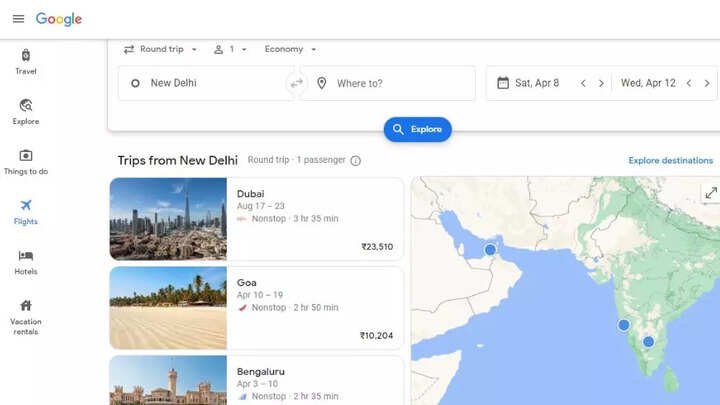
Once you’re comfortable with basics, level up your game. Combine with Date Grid: Toggle between map and calendar to align cheap dates with low-price zones. Mid-week flights (Tues/Wed) often glow green.
Target Nearby Airports: Zoom to clusters—flying into Bergamo instead of Milan can save €100+. Enable “Nearby airports” in options.
Seasonal Heatmaps: Search for future months; colors shift with demand. Avoid peak holidays when reds dominate.
Mobile Magic: On the app, pinch-to-zoom reveals micro-deals in dense areas like the Caribbean.
Incognito Mode Hack: Browse privately to dodge dynamic pricing hikes based on cookies.
Multi-City Mashups: After mapping one leg, add “Multi-city” for open-jaws, like NYC to Barcelona, then Rome to NYC, optimizing via map previews.
Real-world win: A user from Chicago found Bali flights for $650 RT via map (vs. $1,200 direct search) by spotting Denpasar greens in April.
Pros and Cons of the Google Flights Map Feature
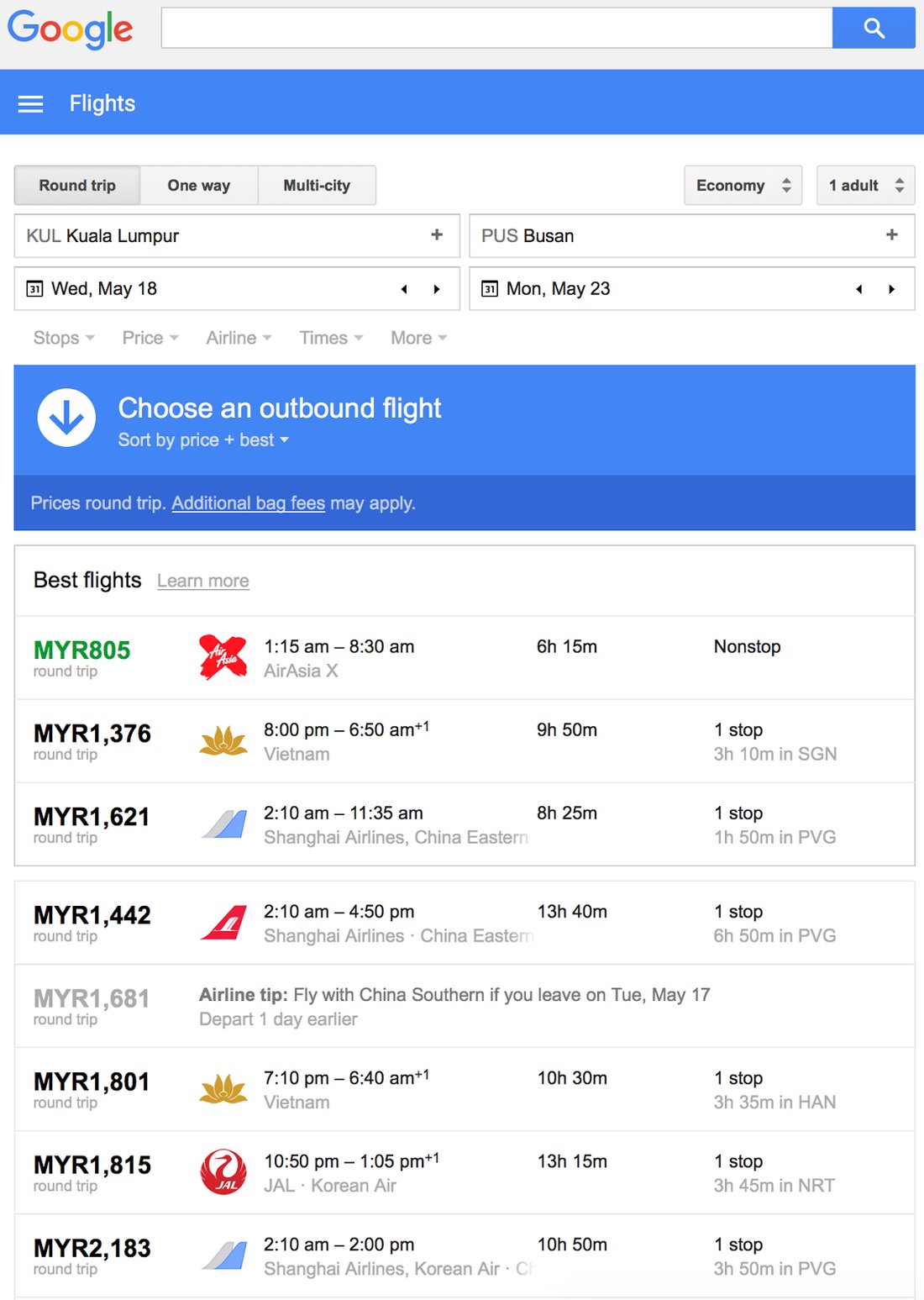
Pros:
- Visual price discovery beats text lists.
- Real-time data from 300+ airlines.
- Free price graphs and alerts.
- Customizable filters for eco-friendly or fast flights.
Cons:
- Not available for all routes (e.g., some domestic).
- Map can lag on slow connections.
- No direct booking—redirects elsewhere.
- Limited to Google’s partners.
Overall, pros outweigh cons for international budget hunts.
Case Studies: Real Savings from Map Users

Take Sarah from Seattle: Traditional search showed Hawaii at $500+. Map revealed Kauai via secondary hubs for $320. Or Mike’s Europe hop: Map pivoted him to Porto (Portugal) for $280 from Boston, enabling cheap trains onward.
Aggregated data from The Points Guy indicates map users save 25% more. Forums like Reddit’s r/travel buzz with map testimonials, praising its “serendipity factor” for offbeat gems like Tbilisi or Quito under $400.
Alternatives to Google Flights Map for Cheap Tickets

While stellar, diversify: Skyscanner’s Explore Map mirrors it with hotel bundles. Kayak’s Mosaic personalizes maps. Kiwi.com guarantees multi-airline itineraries. Secret Flying emails map-like deals. For pros, Hopper predicts drops via app maps.
Cross-check with Google Flights for validation—it’s often the most accurate.
Common Mistakes to Avoid When Using the Feature
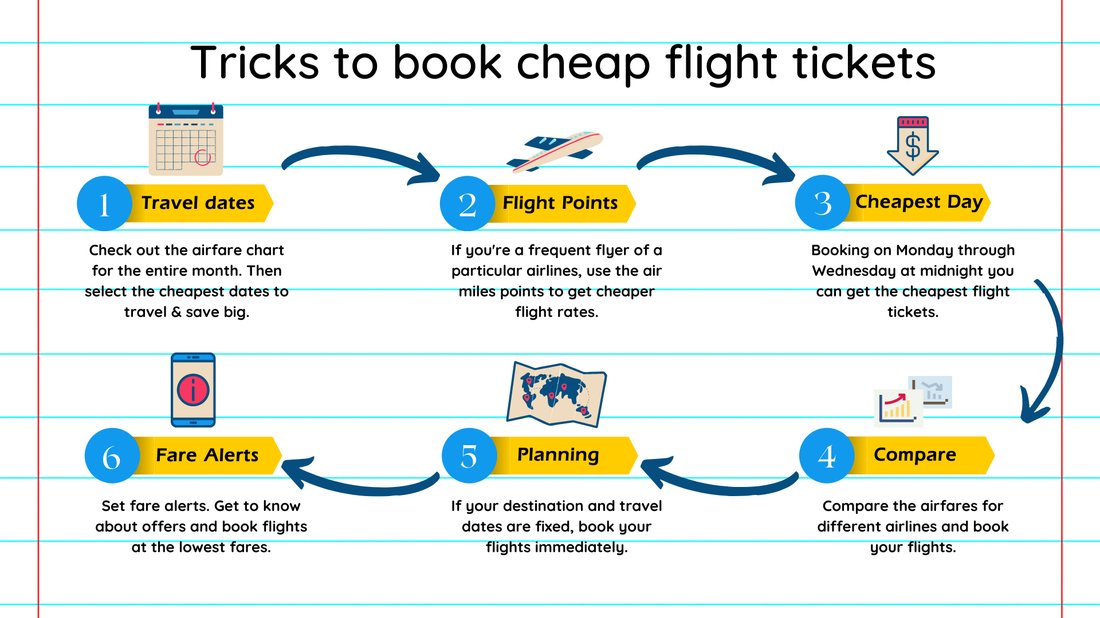
Don’t ignore filters; uncheck budget busters like bags. Avoid peak zooms without date flex—prices spike. Skip assuming greens are always best; check total costs including fees. Always verify via official sites post-map.
Conclusion: Your Passport to Affordable Adventures

The Google Flights hidden map feature transforms flight hunting from drudgery to discovery. By visualizing cheap flight tickets worldwide, it empowers you to explore without borders—or budgets. Start experimenting today: input your city, click that map icon, and watch savings unfold. Pair with alerts, flexible plans, and secondary airports for mastery. Happy hunting—your next adventure awaits at a fraction of the cost!
(Word count: 1,248)