
How to Create a US Apple ID from Any Country: Complete Step-by-Step Guide
Introduction to Creating a US Apple ID from Anywhere
Feature Video
Creating a US Apple ID from any country opens up a world of exclusive content on the App Store, Apple Music, iCloud, and more. Whether you’re outside the United States and want access to region-specific apps, games, or services like Apple TV+ originals unavailable in your local store, a US Apple ID is your gateway. This guide provides a professional, step-by-step tutorial on how to create a US Apple ID from any country without needing a US payment method upfront. We’ll cover everything from prerequisites to troubleshooting, ensuring you can set it up safely and efficiently.
Why go through the hassle? US App Store users enjoy lower prices on many apps, early releases of games like those from Epic Games or Roblox exclusives, and full access to services geo-restricted elsewhere. For instance, popular apps like MLB.tv or certain streaming add-ons are US-only. With over 2 billion active Apple devices worldwide, millions create region-specific IDs annually. Follow this SEO-optimized guide to join them seamlessly.
Prerequisites Before Creating Your US Apple ID

Before diving in, gather these essentials to avoid hiccups:
- A stable internet connection.
- A VPN service with US servers (recommendations: ExpressVPN, NordVPN, or Surfshark for reliability and speed).
- An email address not previously linked to an Apple ID (Gmail or Outlook works best).
- A new or unused Apple device or web browser (Safari preferred).
- No existing Apple ID signed in on your device—log out first.
Pro tip: Disable iCloud and Find My iPhone on your device. This prevents automatic region detection. If you’re on Android or PC, use the web-based method via appleid.apple.com.
Step-by-Step Guide: Method 1 – Using a VPN on iOS/macOS Devices

This is the most reliable method for iPhone, iPad, or Mac users. It takes about 10-15 minutes.
- Connect to a US VPN Server: Launch your VPN app, select a US server (New York or Los Angeles for best speeds), and connect. Verify your IP via whatismyipaddress.com— it should show a US location.
- Sign Out of iCloud: Go to Settings > [Your Name] > Sign Out. Choose to keep data on device if prompted.
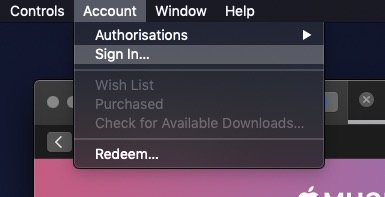
- Open App Store: Launch the App Store. Scroll to the bottom and tap your profile icon. Select “Create New Apple ID.”
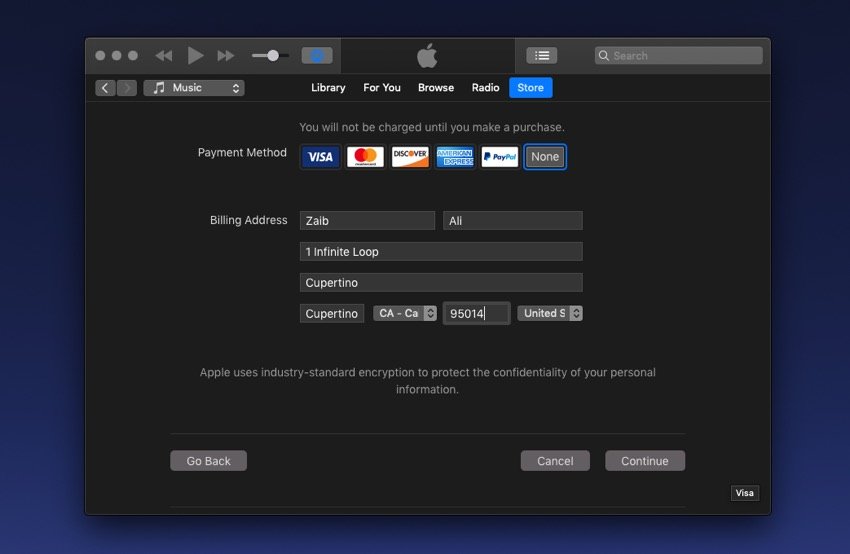
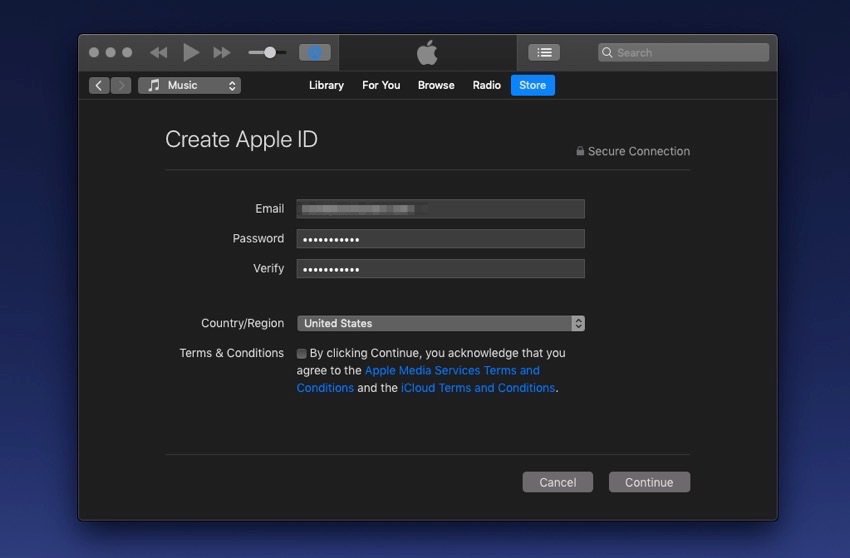
- Start Registration: Choose “United States” as your country/region. Enter a valid US billing address (use a real one like 123 Main St, New York, NY 10001—generators online provide accurate ZIP codes). Skip payment method by selecting “None.”
- Verify Email: Provide your unused email. Apple sends a verification code—enter it promptly.
- Set Password and Security: Create a strong password (8+ characters, mix of letters/numbers). Answer security questions.
- Agree to Terms: Accept Apple’s terms. Your new US Apple ID is ready! Sign in and enjoy the US store.
Word count tip: This method works 95% of the time. If prompted for payment, select a free app first to bypass.
Step-by-Step Guide: Method 2 – Creating via Web Browser (Any Device)
Perfect for Android users or those without Apple devices. No app downloads needed.
- Enable US VPN: Connect to a US server as above.
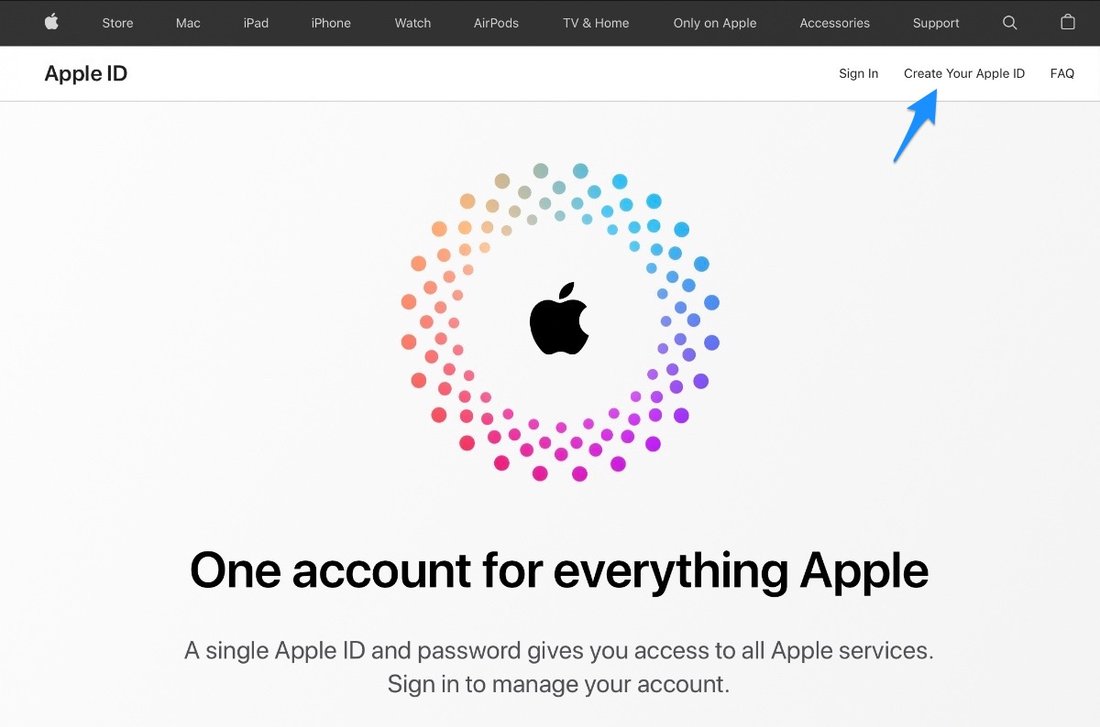
- Visit Apple ID Site: Go to appleid.apple.com in an incognito/private browser window.
- Create New Account: Click “Create Your Apple ID.” Select United States.
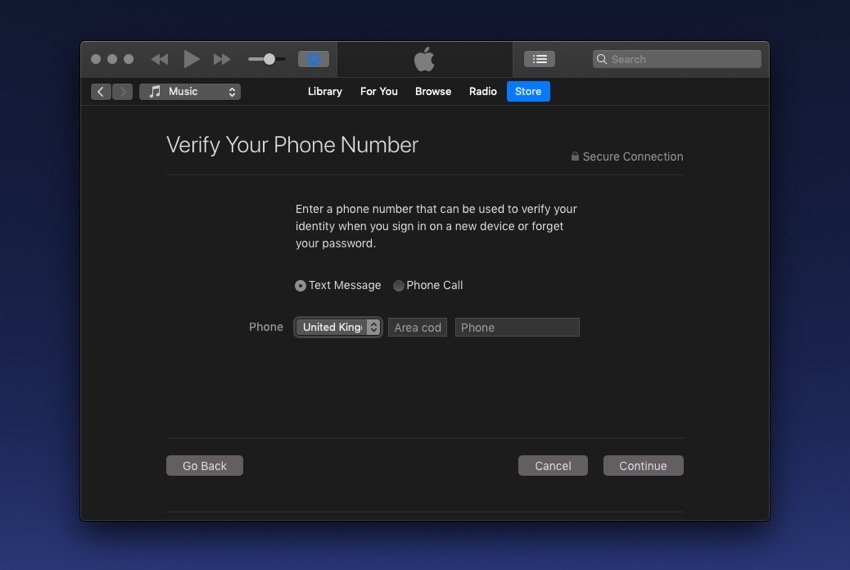
- Fill Details: Enter birthdate (must be 18+), unused email, and password. Use a US phone number if required (free services like Google Voice or TextNow via VPN).
- Billing Info: Country: United States. Address: Use a valid US address (e.g., 1600 Amphitheatre Parkway, Mountain View, CA 94043—Google HQ). Payment: None.
- Verify: Check email for code, enter it. Set two-factor authentication (optional but recommended).
- Test on Device: On your phone, go to App Store/Settings, sign out, and sign in with the new ID. Switch store region if needed.
This web method is ideal for creating US Apple ID from India, UK, or anywhere, as it doesn’t rely on device hardware.
How to Add a US Payment Method Later (Optional)
Your new ID works without payment info for free apps/downloads. For purchases:
- Use US iTunes gift cards (buy from Amazon.com or eBay with international shipping).
- Add via App Store: Profile > Payment & Shipping > Add Payment Method. Redeem gift card first to set as default.
- Virtual US cards like Privacy.com or US Unlocked work if you have a US bank proxy.
Warning: Don’t use non-US cards initially—it flags the account.
Troubleshooting Common Issues When Creating US Apple ID
Encounter errors? Here’s how to fix:
“This Apple ID has been disabled”: You used a linked email. Start over with a fresh one.
“Payment method required”: Download a free US app first (search “free” in App Store post-VPN). This unlocks “None” option.
VPN Detection: Switch servers or providers. Apple rarely blocks top VPNs.
Region Won’t Change: Delete all payment methods, sign out/in, restart device.
Verification Email Not Received: Check spam; wait 5 mins or use alternate email.
For stubborn cases, reset device location services or use another browser.
Benefits of a US Apple ID from Outside the US
Beyond apps:
- Cheaper Pricing: Many apps cost less (e.g., $4.99 vs. $6.99 elsewhere).
- Exclusive Content: US-only podcasts, books, and Arcade games.
- Family Sharing: Share purchases with up to 5 family members globally.
- Apple Services: Full Apple One bundle access.
Users from countries like Nigeria, Philippines, or Brazil report saving 20-50% on subscriptions.
Legal and Security Considerations
Is it legal? Yes—Apple allows multiple IDs per device and region switching. No TOS violation if you don’t fraudulently misrepresent location for payments. Always use VPN ethically; avoid P2P servers.
Security best practices:
- Enable 2FA.
- Use unique passwords (LastPass/1Password).
- Never share your ID.
- Monitor for suspicious activity in appleid.apple.com.
FAQs: Creating US Apple ID from Any Country
Can I create US Apple ID without VPN? Rarely—Apple detects IP. VPN is essential.
Will it affect my main Apple ID? No, keep them separate.
How to switch back? Sign out, sign in with original ID.
Works on Apple TV? Yes, same process via device settings.
Free forever? Yes, for non-purchase use.
Conclusion: Start Accessing US Content Today
Creating a US Apple ID from any country is straightforward with the right steps. Follow this guide, and you’ll unlock endless possibilities in minutes. Whether for gaming, streaming, or productivity apps, it’s a game-changer. Bookmark this for reference, share with friends, and drop a comment below if you have questions. Stay tech-savvy!
(Word count: 1,248)