
Ultimate Guide to Buying a Used Laptop Without Getting Scammed
Ultimate Guide to Buying a Used Laptop Without Getting Scammed
Buying a used laptop can be a smart financial decision, offering high-end performance at a fraction of the original price. Whether you’re a student on a budget, a professional needing a secondary device, or someone upgrading without breaking the bank, the second-hand market is full of opportunities. However, it also teems with scams, faulty hardware, and misleading sellers. In this ultimate guide to buying a used laptop without getting scammed, we’ll walk you through essential steps, red flags, and expert tips to ensure you score a reliable machine. With rising laptop prices due to supply chain issues and inflation, more people are turning to used options—global second-hand electronics sales hit $100 billion in 2023, according to Statista. But without proper due diligence, you risk wasting money on a lemon. Let’s dive into how to buy confidently.
Research the Market Before You Buy
Feature Video
https://www.youtube.com/watch?v=NsTobnTfsYw
Knowledge is your first line of defense against scams. Start by determining your needs: Do you require a laptop for gaming, video editing, office work, or basic browsing? Popular models like Dell XPS, MacBook Pro, Lenovo ThinkPad, or HP Spectre hold value well and are less likely to be counterfeit. Use sites like LaptopMag, PCMag, or NotebookCheck to review specs and common issues for your target models.
Check current market prices on platforms like eBay, Swappa, Facebook Marketplace, Craigslist, and Amazon Renewed. Tools like CamelCamelCamel or PriceSpy can track historical pricing. For instance, a 2020 MacBook Air M1 typically sells for $600-$800 used, while suspiciously low prices under $400 scream scam. Research model-specific problems—e.g., Dell Inspiron hinge failures or older HP models with battery swelling. Join Reddit communities like r/Laptops or r/hardwareswap for real-user insights. Allocate 2-3 hours to this phase; it prevents impulse buys and sets realistic expectations. By understanding fair value, you’ll spot deals from disasters.
Choose Reputable Places to Buy a Used Laptop
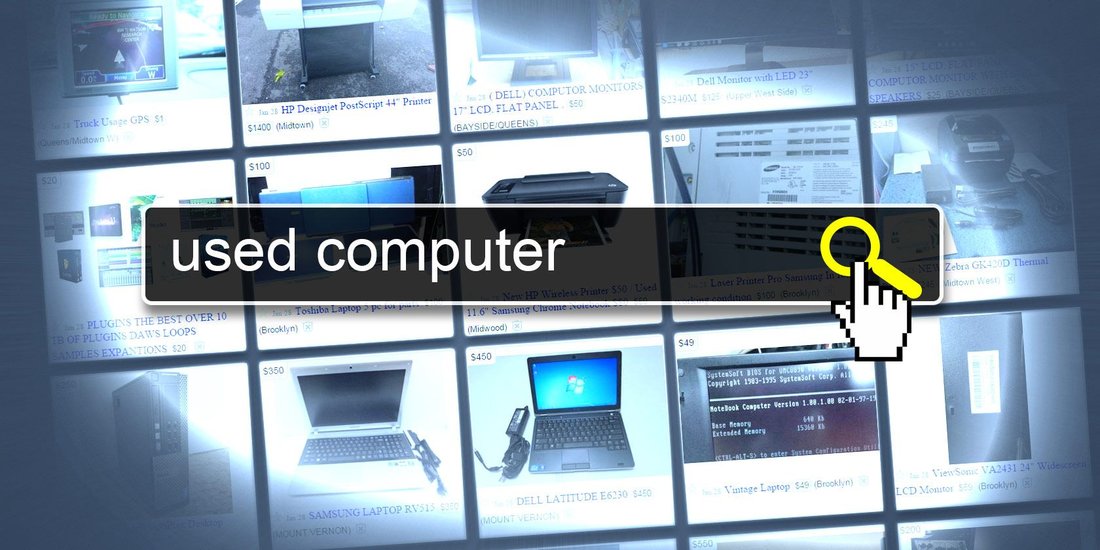
Not all selling platforms are equal. Opt for vetted marketplaces over sketchy ones. Swappa and eBay (with buyer protection) verify listings and offer refunds for misrepresented items. Amazon Renewed provides certified refurbished laptops with warranties. Gazelle and Decluttr inspect devices before sale. Local options like pawn shops or certified refurbishers (e.g., Micro Center) allow in-person checks.
Avoid unverified Facebook Marketplace or Craigslist sellers without reviews, especially those pushing “too good to be true” deals. Prefer sellers with high ratings (95%+), detailed photos, and serial number listings. For private sales, insist on public meetups like coffee shops or police stations. Corporate sellers like Apple Certified Refurbished guarantee quality. In 2023, FTC reports showed 20% of online second-hand electronics scams originated from peer-to-peer sites—stick to structured platforms for peace of mind.
Inspect the Physical Condition Thoroughly

Hands-on inspection is non-negotiable. Examine the chassis for dents, cracks, or warping—signs of drops or poor handling. Check the screen for dead pixels, scratches, backlight bleeding, or discoloration; use online dead pixel testers. Test the keyboard: keys should feel responsive without stickiness or missing letters. Hinges must open smoothly without wobbling.
Battery health is crucial—use Windows’ battery report (powercfg /batteryreport) or macOS System Information to check cycles (under 500 is ideal for 2-3 year old laptops). Ports (USB, HDMI, headphone) should work; plug in devices to verify. Listen for fan noise or coil whine under load. Trackpad and webcam functionality matter too. Smell for burnt electronics odor—a red flag. If buying remotely, demand 20+ high-res photos from all angles, including internals if possible, and a video demo. Professional tip: Use a UV light to detect hidden water damage on ports.
Verify Specifications and Performance Benchmarks

Sellers often exaggerate specs. Boot the laptop and check via Windows Task Manager (Ctrl+Shift+Esc) or macOS About This Mac. Confirm CPU, RAM (not soldered if upgradable), GPU, and storage match listings—use CPU-Z or Speccy for details. Run benchmarks: Cinebench for CPU, 3DMark for GPU, CrystalDiskMark for SSD speeds. Compare scores to new equivalents; a 70-80% retention is normal for used.
Test multitasking: Open 20+ tabs, Photoshop, and a video—lag indicates issues. Stress test with Prime95 or FurMark for 15 minutes; monitor temps via HWMonitor (under 90°C). Wi-Fi and Bluetooth: Speedtest.net should hit advertised speeds. For gaming laptops, run games at native settings. Macs? Geekbench scores validate M1/M2 chips. Mismatched specs or benchmark fails mean walk away—scammers swap components.
Check Software, OS, and Data Security

A clean OS slate prevents malware inheritance. Ensure it’s genuine Windows (run slmgr /xpr) or macOS—pirated copies die post-purchase. Boot in safe mode; scan with Malwarebytes. Check for bloatware or unusual processes in Task Manager. Factory reset if possible, but verify post-reset.
Factory Reset wipes seller data, but confirm no BitLocker/Find My Mac locks. Demand original serial validation on manufacturer sites (Dell SupportAssist, Apple Check Coverage). Update BIOS/firmware for security. Avoid laptops with “admin” accounts or suspicious apps. Data breaches via used devices rose 15% in 2023 per cybersecurity reports—prioritize this.
Evaluate Pricing, Warranty, and Policies

Price should reflect age, condition, and specs—use Kelley Blue Book equivalents like Cashify or BackMarket calculators. Factor 20-40% depreciation yearly. Negotiate 10-15% off listed price with evidence.
Seek remaining manufacturer warranty (check via serial) or seller warranties (30+ days). Platforms like eBay offer buyer protection up to $10,000. Get everything in writing: return policy, “as-is” clauses. PayPal Goods & Services provides recourse over Friends & Family scams.
Spot Red Flags and Common Scams
Watch for: Vague descriptions (“works great”), stock photos, no serial number, pressure tactics (“first come first serve”), overseas shipping for local listings, or “new in box” claims on used items. Battery at 100% perpetually? Fake. Refusal for video calls/demos? Scam. Partial payments or escrow fakes abound—use platform payments only. Phishing via seller emails? Verify URLs. In-person: cash-only demands or no ID? Bail. FTC logged 300,000+ electronics scams in 2023—trust your gut.
Final Tips for a Scam-Free Purchase
Budget extra for accessories (charger verified authentic). Ship insured. Post-purchase: Full wipe, fresh OS install, backups. Extend with third-party insurance like Upsie. Sell-back value holds if maintained. Eco bonus: Used laptops reduce e-waste by 50 million tons yearly (UN data).
In conclusion, arming yourself with research, inspections, and caution turns used laptop buying into a win. Follow this guide, and you’ll avoid 99% of pitfalls, landing a powerhouse for half price. Happy hunting—your perfect used laptop awaits without the scam drama. (Word count: 1,248)