
How to Protect Your Privacy on WhatsApp and Stop Data Sharing
WhatsApp has become an indispensable messaging app for billions worldwide, but with its convenience comes significant privacy concerns. Owned by Meta, WhatsApp collects vast amounts of user data, including metadata on who you message, when, and how often. Recent scandals and policy changes have heightened fears about data sharing with Facebook (now Meta Platforms). If you’re wondering how to protect your privacy on WhatsApp and stop data sharing, this comprehensive guide is for you. We’ll walk through proven steps to lock down your account, minimize tracking, and regain control over your personal information. By implementing these tips, you can enjoy secure communication without compromising on features.
Privacy on WhatsApp isn’t just about hiding your last seen status—it’s about preventing unauthorized access to your chats, photos, and location data. With end-to-end encryption protecting message content, the real risks lie in metadata, profile visibility, and third-party integrations. Let’s dive into actionable strategies to safeguard your digital footprint.
Understand WhatsApp’s Privacy Settings: Your First Line of Defense
Feature Video
WhatsApp offers robust privacy controls, but they’re often buried in menus. Start by accessing them via Settings > Privacy. Here, you can dictate who sees your profile photo, about info, status, and last seen timestamp. Options include “Everyone,” “My Contacts,” “My Contacts Except…,” or “Nobody.” For maximum privacy, select “Nobody” or restrict to contacts only.
Why does this matter? Public profiles expose you to scammers and stalkers. A study by the Electronic Frontier Foundation (EFF) highlights how visible metadata can reveal social graphs, potentially leading to doxxing or targeted ads. Regularly review these settings, especially after app updates, as defaults may reset.
To stop data sharing at its root, disable the “Help improve WhatsApp” toggle in Settings > Account. This prevents sending diagnostic data to Meta servers. Also, opt out of analytics by turning off “Allow App to Use Your Data” in the same section.
Enable Two-Step Verification for Account Security

Two-step verification (2FA) adds a six-digit PIN to your WhatsApp login, crucial against SIM-swapping attacks. Go to Settings > Account > Two-step verification > Enable. Link an email for recovery, but use a secure one like ProtonMail to avoid Meta’s ecosystem.
Without 2FA, attackers can hijack your number and access all chats. In 2023, reports surged of WhatsApp account takeovers leading to financial scams. This feature doesn’t stop data sharing but protects against unauthorized access, ensuring your privacy settings remain intact.
Pro tip: Never share your PIN or verification codes. WhatsApp won’t ask for them via calls or messages—treat such requests as phishing.
Control Last Seen, Online Status, and Read Receipts
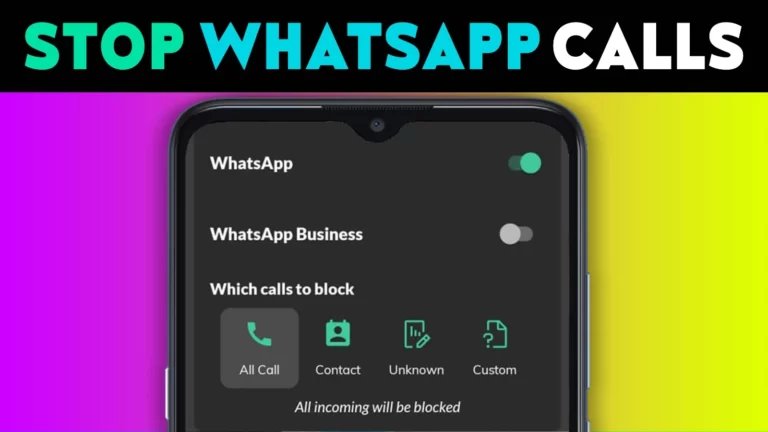
Visibility of your “Last Seen” and “Online” status reveals your activity patterns. In Privacy > Last seen and online, set to “Nobody.” Note: This hides others’ status too, promoting mutual privacy.
Disable read receipts (Privacy > Read receipts) to prevent senders from knowing if you’ve viewed messages. Blue ticks vanish, but group chats and voice notes still show reads. For typing indicators, there’s no direct toggle, but limiting to trusted contacts reduces exposure.
These changes thwart stalkers tracking your routines. SEO keyword integration: Mastering WhatsApp privacy settings like these can drastically reduce data leaks.
Stop Data Sharing with Facebook: Opt-Out Guide
WhatsApp’s 2021 policy update allowed data sharing with Facebook for business features. To stop data sharing on WhatsApp, navigate to Settings > Account > Share my account info (Android) or deny requests during onboarding (iOS). Unlink your phone number from Facebook if connected.
For businesses, reject “Confirm number” prompts. Use Settings > Chats > Chat backups with Google Drive/iCloud encryption, but disable auto-backups to local storage for full control. Tools like WhatsApp Viewer can parse backups offline, but encrypt your device first.
Meta claims shared data is for ads and security, but privacy advocates like the NOYB group sued over GDPR violations. Opting out limits phone number sharing with Facebook advertisers.
Leverage Disappearing Messages and View Once Media
Activate disappearing messages for chats: Chat info > Disappearing messages > 24 hours/7 days/90 days. Ideal for sensitive convos, messages auto-delete, reducing long-term storage risks.
For photos/videos, use “View Once” to self-destruct after viewing. Screenshots are possible, so pair with trusted contacts. This feature minimizes data permanence, aligning with privacy-by-design principles.
Secure Chats with Chat Lock and App Lock
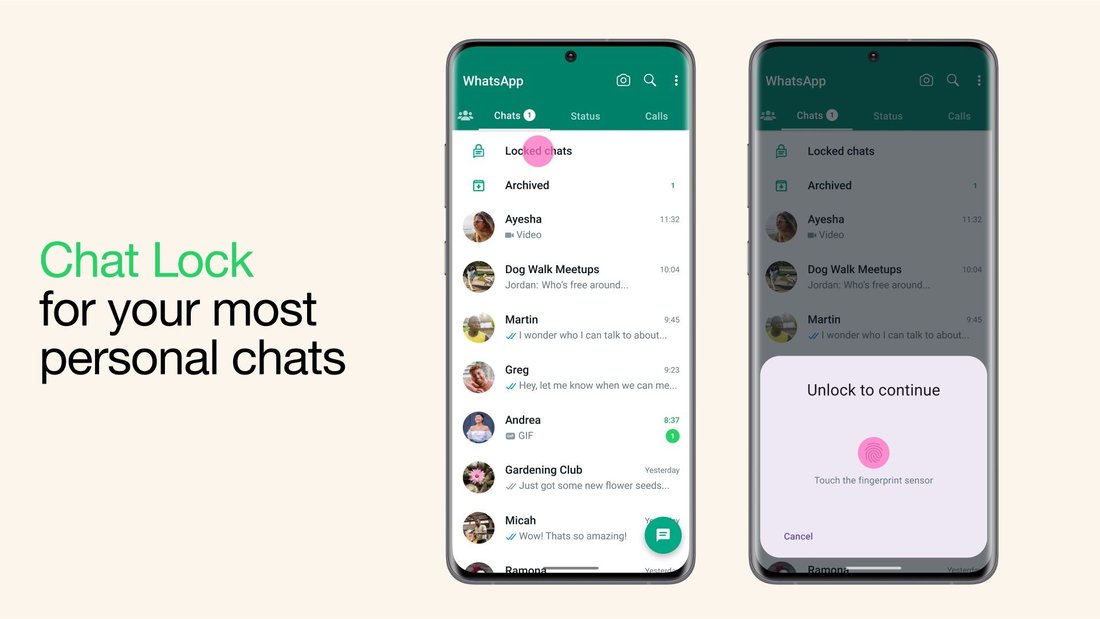
WhatsApp’s Chat Lock (Chat info > Chat lock) hides sensitive threads behind biometrics/Fingerprint. Access requires authentication, perfect for shared devices.
Enable App Lock via Settings > Privacy > App lock (Android) or use device-level screen locks (iOS). For extra layers, third-party apps like AppLock work, but stick to reputable ones to avoid malware.
In 2024, with rising device thefts, these prevent casual snooping and data extraction.
Manage Group Invites, Calls, and Location Sharing
Prevent spam groups: Privacy > Groups > My Contacts or Nobody. Block unknown callers via Privacy > Calls > Silence unknown.
Live location sharing? Set time limits (15 mins max) and share only with verified contacts. Revoke anytime from Chat info.
These curb harassment and unwanted tracking, key to holistic WhatsApp privacy protection.
Use WhatsApp Web and Desktop Securely

WhatsApp Web mirrors your phone—log out devices via Settings > Linked devices. Enable notifications only for trusted PCs.
Use incognito mode or VPNs on public Wi-Fi. Avoid public computers; QR code scans link sessions indefinitely if not managed.
Regular Updates and Advanced Tips
Keep WhatsApp updated for security patches—outdated versions are hack targets. Enable auto-updates.
Advanced: Use Signal for ultra-private chats alongside WhatsApp. VPNs like ExpressVPN mask IP during calls. Avoid third-party mods like GBWhatsApp—they bypass encryption and risk bans/data theft.
For backups, export chats manually (Chat info > Export chat) without media to minimize data. Store encrypted on personal drives.
Conclusion: Reclaim Your WhatsApp Privacy Today
Protecting privacy on WhatsApp demands proactive steps, from toggling settings to vigilant habits. By enabling 2FA, restricting visibility, and stopping data sharing with Facebook, you fortify against surveillance capitalism. Remember, no app is 100% private—combine these with mindful usage.
Implement these today: Review privacy settings weekly, educate contacts, and stay informed on policy shifts. Your data is yours—don’t let Big Tech commodify it. Share this guide to spread awareness on how to protect your privacy on WhatsApp.
(Word count: 1218)